


Working from Home: Why the Couch and Kitchen Chair Are Bad for Your Back
Working from home is no longer the exception, but rather part of everyday life. Data from the Statistical Office of the Republic of Slovenia show that approximately one in eight employed people worked from home at least one day a week, and the figure is significantly higher among those with a college degree. Nevertheless, when setting up a home office, the first things that come to mind are a computer, a monitor, and an internet connection. But we often forget about the chair we’ll be sitting in for six, eight, or even more hours a day—or we simply grab whichever one is handy.
The problem is that the spine cannot tell the difference between a “temporary” and a “permanent” solution. Every day we spend sitting on an unsuitable surface leaves its mark—in the form of a stiff neck, lower back pain, or numb shoulders.
Why Is the Chair Often the Weakest Link When Working from Home?
At home, we rarely think about a chair as seriously as we do about a computer. Some people work at the kitchen table, others in an armchair or on the couch, and still others at a chair they bought mainly for its appearance. Each of these solutions has its limitations:
- A couch is designed for relaxation, not for work. When we sit on it, our pelvis sinks quickly, our shoulders slump forward, and our head leans toward the screen. This isn’t a problem for a quick phone call—but when working all day, the spine takes on a strain it wasn’t designed to handle.
- A kitchen chair is stable but usually lacks height adjustment, lumbar support, and armrests. You can “stay upright” in it for a few hours, but after that, your muscles start to give out.
- A classic office chair with a fixed seat is a better choice than the two mentioned above, but it still offers only passive support—the body sits, while the muscles remain at rest. In the long run, this weakens the back muscles instead of strengthening them.
- At first glance, a gaming chair looks modern and comfortable, but appearances can often be deceiving. A high backrest and extra cushions do not in themselves guarantee good ergonomics—many gaming chairs force the user into a rigid position and are not designed for eight-hour work sessions.
The common factor among all of the above is immobility. The body remains in the same position for hours, and the intervertebral discs are under constant pressure at the same points.
How Sitting Strains the Spine
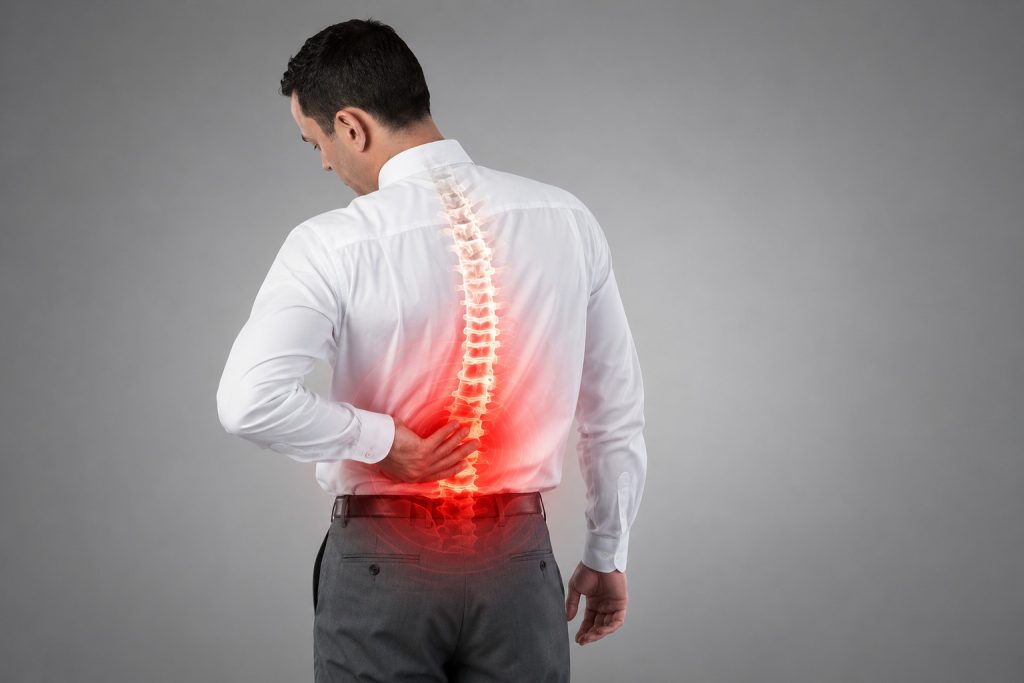
Medical research shows that sitting increases pressure on the intervertebral discs by as much as 40% compared to standing. With a hunched or poor posture, this pressure can increase by as much as 90%.
The problem lies in static sitting—that is, sitting in which the body remains in the same position the entire time. In this case, the pressure isn’t distributed along the spine but is always concentrated on the same segments. That’s exactly why the following symptoms are most common when working from home: a dull ache in the lower back, tension between the shoulder blades, and a stiff neck.
The solution isn’t to look for an even softer or more expensive chair. The solution is to find a chair that encourages the body to move—even while sitting.
Active Sitting: The SpinaliS Solution
The SpinaliS chair was designed with a single purpose in mind: to translate the proven benefits of sitting on a therapy ball into a form suitable for everyday computer work. The central element is a patented, spring-loaded, movable seat that follows every movement of the body while sitting, thus enabling continuous active sitting—without the loss of support that a traditional therapy ball cannot provide.
What this means in practice:
- The muscles remain active. The deep stabilizing muscles of the spine constantly adjust slightly to the movement of the seat, rather than “shutting down” completely while sitting.
- The pressure on the tiles is distributed. Because the seat moves slightly and continuously, pressure does not build up at a single point, which reduces the risk of long-term wear and tear.
- Better blood circulation, less fatigue. Active sitting improves blood circulation, which means more oxygen for the brain and, as a result, less afternoon drowsiness—this is especially important when working from home, without the breaks that a typical office environment naturally provides.
During the first few days of transitioning to active sitting, it is perfectly normal to experience mild muscle fatigue. This is not a sign that something is wrong—on the contrary, it is a sign that the muscles, which have been inactive for years, have finally begun to activate.
Comparison: What are you actually sitting on when you work from home?
Before you decide on a new chair, it makes sense to ask yourself a simple question: What would you really like to sit on for 6–8 hours a day? The table below summarizes the pros and cons of the most common options.
| Seat Base for Sitting | Advantages | Disadvantages | Suitability for working from home |
|---|---|---|---|
| Sofa | Comfortable for resting, a relaxed position, always within reach | Poor back support; the body sinks in quickly; neck and shoulders are forced into an unnatural position | Only for very brief tasks or a quick phone call |
| Kitchen Chair | Sturdy, simple, no additional purchases required | No height adjustment, no lumbar support, often too hard for hours of sitting | Suitable for short tasks, but not for a full workday |
| Classic Office Chair | Adjustable height, better support than a kitchen chair | A fixed seat offers only passive support; back muscles weaken over time | Acceptable if it has good lumbar support |
| Gaming Chair | Attractive design, high backrest, extra cushions | Not every model is actually ergonomic; it may force you into a rigid position | Depends on the model—appearance doesn’t guarantee ergonomics |
| SpinaliS – Active Sitting | The flexible seat promotes micro-movement, strengthens the back muscles, and relieves pressure on the discs; features an adjustable backrest and armrests | Takes a few days to get used to | An excellent choice for every day you spend sitting at a computer |
The table shows that the choice isn’t just a matter of price. A couch may be the most comfortable for the first twenty minutes, but it’s often the worst choice for an entire workday. A gaming chair may be better than a kitchen chair, but it shouldn’t be equated with an ergonomic chair just because it’s designed for a computer.
Which SpinaliS chair should you choose for your home office?
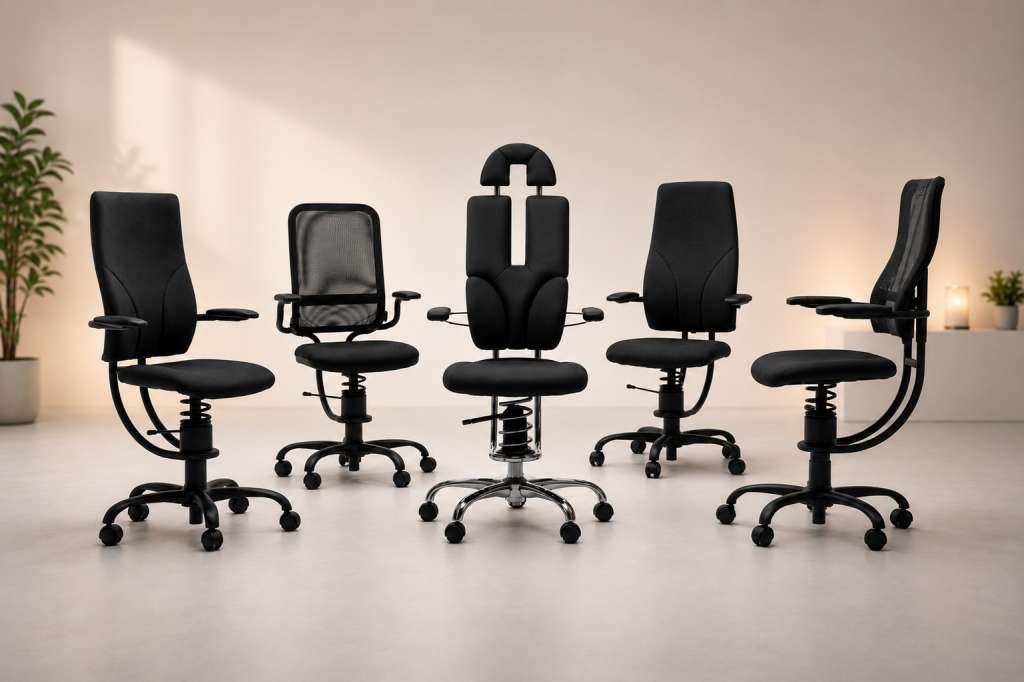
SpinaliS offers a variety of models tailored to different needs and spaces:
- SpinaliS Hacker is the best-selling model in the SpinaliS family—the breathable mesh backrest and the flexible, height-adjustable seat make it a favorite among those who spend a lot of time sitting at a computer. The seat measures 44 × 45 cm, the backrest 38 × 55 cm, and it has a weight capacity of up to 110 kg.
- SpinaliS Navigator offers a wider seat and a reinforced frame for larger individuals.
- SpinaliS Apollo features an extra-padded seat for even greater comfort during a full day of work.
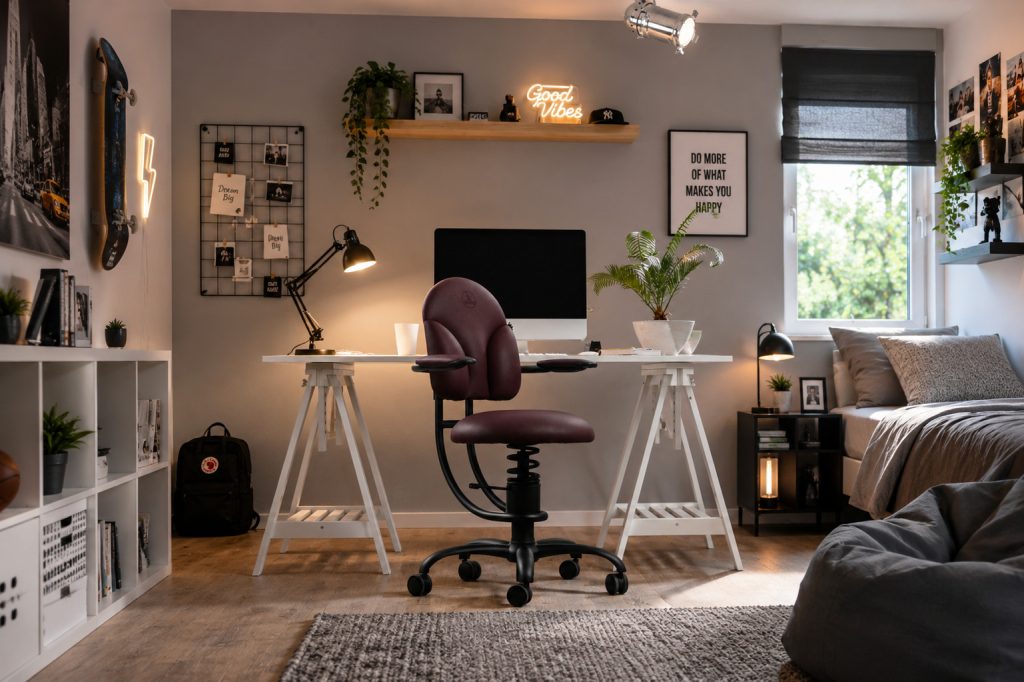
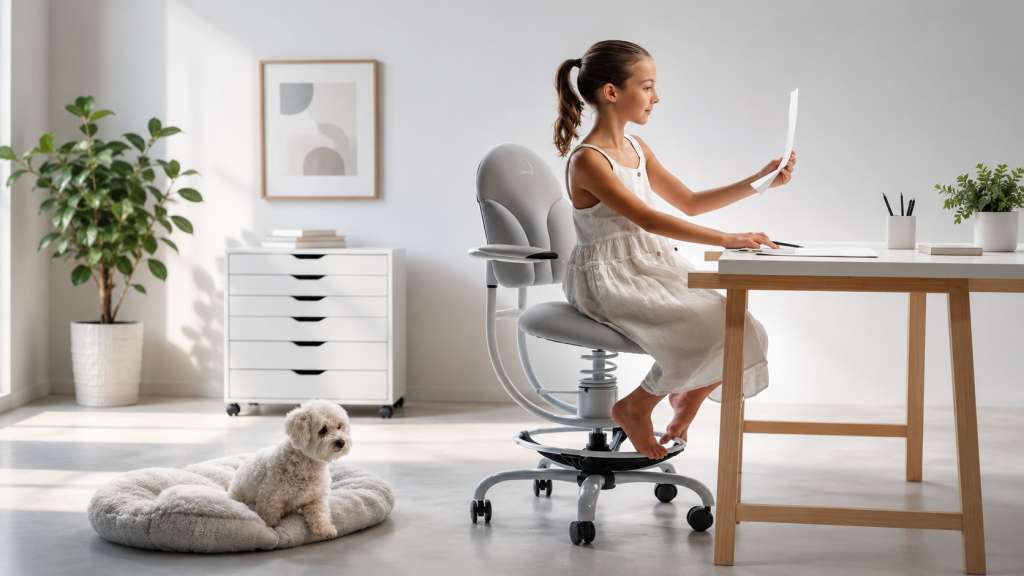
- SpinaliS Basic was the first SpinaliS model and is today the most popular among children and teenagers—its lower backrest and leg ring allow it to “grow” with the child from first grade through their teenage years. Due to its smaller dimensions, it is also popular among shorter adults, especially women of smaller stature.
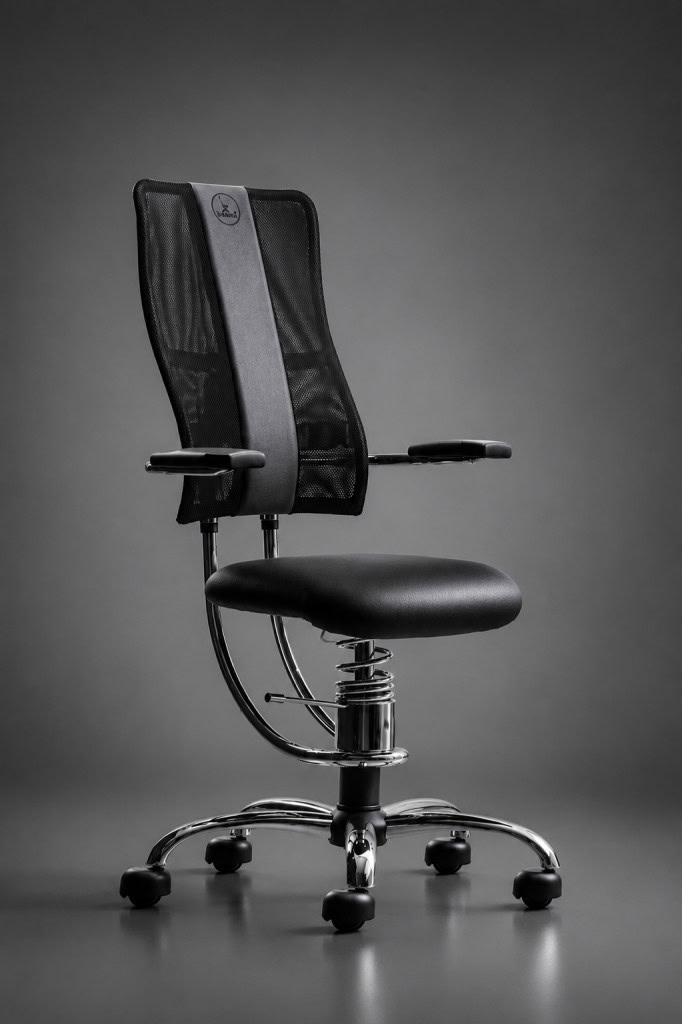

What all models have in common is the same patented adjustable seat and easy height adjustment of the backrest and armrests with a single control—no complicated settings that most users never use anyway.
All models are manufactured entirely in Slovenia from materials selected for long-term, everyday use. The average lifespan of a SpinaliS chair is 7 years, and the company offers a 3-year warranty as well as service and replacement options for individual parts.
For a more in-depth comparison of models and tips on what to look for when choosing one, be sure to read our article “Which Ergonomic Chair to Choose for Prolonged Sitting.”
How to Create a Healthier Workspace at Home
A good chair works best in a properly arranged space:
- Place the monitor at arm’s length; the top edge of the screen should be at eye level or slightly below it.
- Position the keyboard and mouse so that your shoulders remain relaxed and your elbows are close to your body.
- Keep your feet on the floor or on a support, with your knees at about hip height.
- When working on a laptop, use an external monitor or at least a laptop stand, along with a separate keyboard and mouse.
A good chair, proper equipment setup, and regular movement are the three key factors that make working from home significantly less taxing on the body.
Don’t forget about yourself when you’re working from home
For many years, we chose office chairs primarily based on appearance and price. Today, we know that the more important question is what happens to our backs after six or eight hours of work. A couch, a kitchen chair, and a classic office chair may be enough for occasional work from home—but if you work from home regularly, your spine deserves something more. Try SpinaliS for free at home or in a showroom and see for yourself the difference between sitting and active sitting.
Frequently asked questions
Is active sitting suitable for everyone who works from home?
Yes. It is recommended for anyone who spends more than two hours a day sitting at a computer, as it prevents the strain caused by prolonged, static sitting in traditional chairs.
Will switching to the SpinaliS chair be uncomfortable at first?
During the first 3 to 5 days, you may experience mild muscle fatigue, which is a completely normal and positive sign that your muscles are being activated after years of passive sitting. After this period, sitting in the SpinaliS chair becomes comfortable even during work sessions lasting several hours.
Why isn’t the couch a good choice for working from home?
The couch is designed for relaxed rest, not for precise, prolonged work. Your body sinks into it quickly, your pelvis tilts downward, and your shoulders and neck end up in an uncomfortable position—which is negligible during a short phone call but becomes a strain when working all day.
Which SpinaliS model is best suited for working from home?
The most popular model is the SpinaliS Hacker, as it combines a breathable mesh backrest, an adjustable seat, and a compact design that’s also suitable for smaller home offices. For those with a larger build, the SpinaliS Navigator is a better fit, while the SpinaliS Apollo offers extra comfort for all-day work.
Try it for free
You can also try out the SpinaliS chair completely free of charge—at home or at work.
See more ...

Which ergonomic chair should I choose if I sit a lot?
Do you spend more than 6 or 8 hours a day in front of a screen? Then you’re among the more than 70% of office workers ...

Spring tiredness and back pain – how to help yourself?
As the days get longer and nature wakes up, we would like to see more energy. But many people feel the opposite at this ...

Seasonal winter recipes for great well-being
Winter is a time when the body naturally seeks warmer, more nutritious and more filling food. Cold days, less sunshine ...

How to incorporate more exercise into your daily routine
Given the pace of our lives, we often don’t have the time or the will to exercise. Being tied to modern ...

Nutrition tips for more energy and better well-being during the winter months
Pozimi pogosto občutimo manj energije. To se zgodi zaradi različnih dejavnikov, npr. manjša količina dnevne ...

How can we make sure children get enough exercise in winter?
Making sure children get enough exercise, even in winter, is a challenge many parents face. Cold weather, shorter days ...

Make 2025 a year without back pain
The start of 2025 is a great opportunity to make a healthier lifestyle choice. One of the most common problems we face ...

5 simple exercises to relax after a long day
Long, tiring days, often spent in front of a computer, put a strain on our bodies. This is felt especially in the neck, ...
Choose the perfect gift!
The festive season is a time of joy, warmth and giving. But finding the perfect gift for a loved one is not always ...
How important is sitting ergonomics for children’s health?
The first years of life have a crucial influence on the development of the spine. Especially during the period when ...
Degenerative changes in the spine caused by sitting?
Degenerative changes in the spine are … a natural ageing process that affects various body structures (cartilage, ...

How to stay vital in the cold months?
The colder months, autumn and winter, are a bit more challenging for maintaining vitality and general well-being. Our ...
Discover our range of office chairs and choose the best one for you
Choosing the right office chair is crucial for comfort, correct posture and spinal support when sitting for long ...
Which SpinaliS chairs are best suited for children?
Children’s bodies are constantly developing and growing. That’s why their posture is so important. If ...